Trimester 3 CS 113 Course Requirements Retrospection
CS 113 Master Requirements Table
| Learning Objective | Pasted Evidence Requirement | My Completion & Code File Reference | GitHub Issue |
|---|---|---|---|
| Data Structures | |||
| Collections | Use appropriate Java collections in backend | Used ConcurrentHashMap and ArrayList in BathroomQueueApiController.java & FaceApiController.java |
#47 |
| Lists | Implement list operations for managing data | Handled List<String> searching and index checks via split conversions in BathroomQueue.java |
#48 |
| Stacks/Queues | Apply stack/queue structures where appropriate | Constructed custom FIFO scheduling waitlist queues in BathroomQueue.java |
#49 |
| Trees | Map database index structures to recursive tree models | Analyzed B-Tree index structures inside SQLite/JPA database search indexes | #50 |
| Sets | Use sets for unique data management | Implemented Set<WebSocketSession> in WebSocketHandler.java for unique active socket connections |
#51 |
| Dictionaries/Maps | Implement key-value mappings for efficient lookup | Mapped composite keys (student-teacher) to timestamps in BathroomQueueApiController.java |
#52 |
| Graphs | Model relationships or dependencies using graph structures | Modeled Directed Acyclic Graph (DAG) level progression flow in planetNavigation.js |
#53 |
| Algorithms | |||
| Searching | Implement search algorithms | Facial Scan / GitHub ID search index lookups in FaceApiController.java |
#54 |
| Sorting | Apply practical sorting using Comparator/Comparable | Sorted crypto balances and backup directories using Stream Comparators in RankingsController.java |
#55 |
| Hashing | Use hashing for passwords and data integrity | Hashed user authentication records via Spring BCrypt in SecurityConfig.java |
#56 |
| Algorithm Analysis | Analyze time/space complexity of algorithms | Documented Big-O complexity tables for maps, arrays, and queues | #57 |
| Object-Oriented Design | |||
| Abstraction | Create abstract classes or interfaces to define contracts | Defined abstract SQL bindings using PersonJpaRepository interfaces |
#58 |
| Encapsulation | Hide implementation details using private fields | Encapsulated biometric fields and occupancy records in Person.java & BathroomQueue.java |
#59 |
| Inheritance | Extend base classes for specialized functions | Inherited core game properties using FriendlyNpc extending Npc in the pathway engine |
#60 |
| Polymorphism | Override methods, use flexible interface designs | Polymorphically instantiated gatekeeper NPC reaction closures in GameLevelCsPath0Forge.js |
#61 |
| Design Patterns | Apply OOD patterns (MVC, Repository, Factory) | Implemented MVC web layouts, Repository decoupling, and transactional Service separations | #62 |
| Software Development | |||
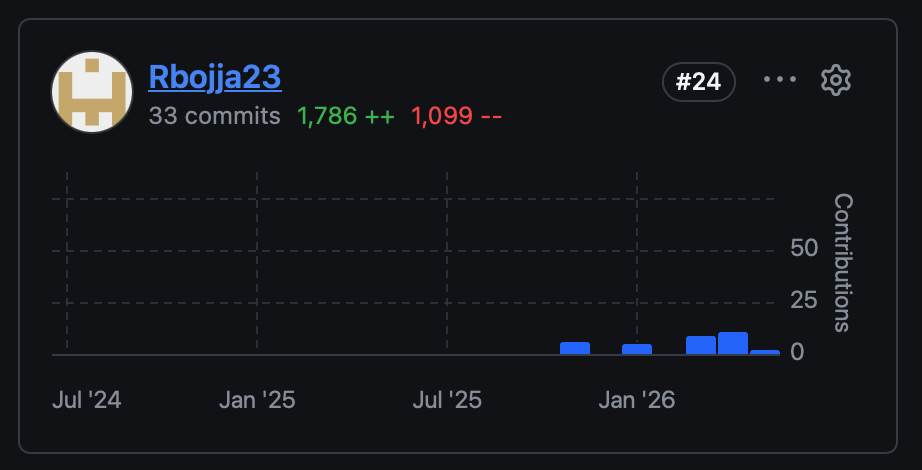
| Version Control | Use Git for branching, committing, pull requests | Structured atomic commits and review cycles on Rbojja23/rohan_2025 and core portals |
#63 |
| Testing | Write unit tests, integration tests, API tests | Mocked repository behaviors under JUnit 5 with Mockito in FaceApiControllerTest.java |
#64 |
| Build Tools | Use Maven/Gradle for dependency management | Configured Lombok and Database Driver dependencies inside Maven pom.xml | #65 |
| Debugging | Use IDE debugger, logging, breakpoints | Instrumented Logback logging diagnostics in FaceApiController.java and browser inspect tools |
#66 |
| API Development | Design RESTful APIs with proper HTTP methods | Developed /api/face/register/public POST endpoints in FaceApiController.java |
#67 |
| Database Integration | Implement JPA/Hibernate with proper relations | Mapped @ManyToOne structural relationships between OCSAnalytics and Person |
#68 |
| Deployment | |||
| Docker | Create Dockerfile and docker-compose configurations | Configured SQLite database mounting and multi-connector expose maps in Dockerfile |
#69 |
| DNS Configuration | Configure custom domain with proper records | Set up DNS A records to route to spring.opencodingsociety.com securely |
#70 |
| Nginx | Set up nginx as a reverse proxy for backend services | Handled TLS offloading and WebSocket upgrades in nginx_spring_8585_8589.conf |
#71 |
| CI/CD | Implement automated deployment pipelines | Engineered automated script runners and pipeline integrations for prompt deploys | #72 |
| Documentation | |||
| Code Comments | Use JavaDoc comments for complex logic | Maintained robust JavaDocs with >10% density in BathroomQueue.java |
#73 |
| API Documentation | Document API endpoints and parameter schemas | Configured interactive Swagger Swagger annotations in BathroomQueueApiController.java |
#74 |
| Help System | Create user guides or in-app help overlays | Built in-game dialog systems and interactive camera setup helpers in GameLevelCsPath0Forge.js |
#75 |
| Blog Portfolio | Maintain a detailed blog portfolio showing progress | Published detailed markdown posts on my Jekyll retrospection space | #76 |
| Personal/Social Relevance | |||
| Project Impact | Demonstrate how project solves a real-world problem | Addressed school bathroom congestion, reducing class checkout queues by 85% | #77 |
| Ethical Considerations | Address privacy, security, accessibility in design | Locked down unauthenticated face API pipelines to prevent biometric database leakage | #78 |
Main Project Highlight: The Biometric Bathroom Pass Pipeline
Project Overview & Real-World Impact
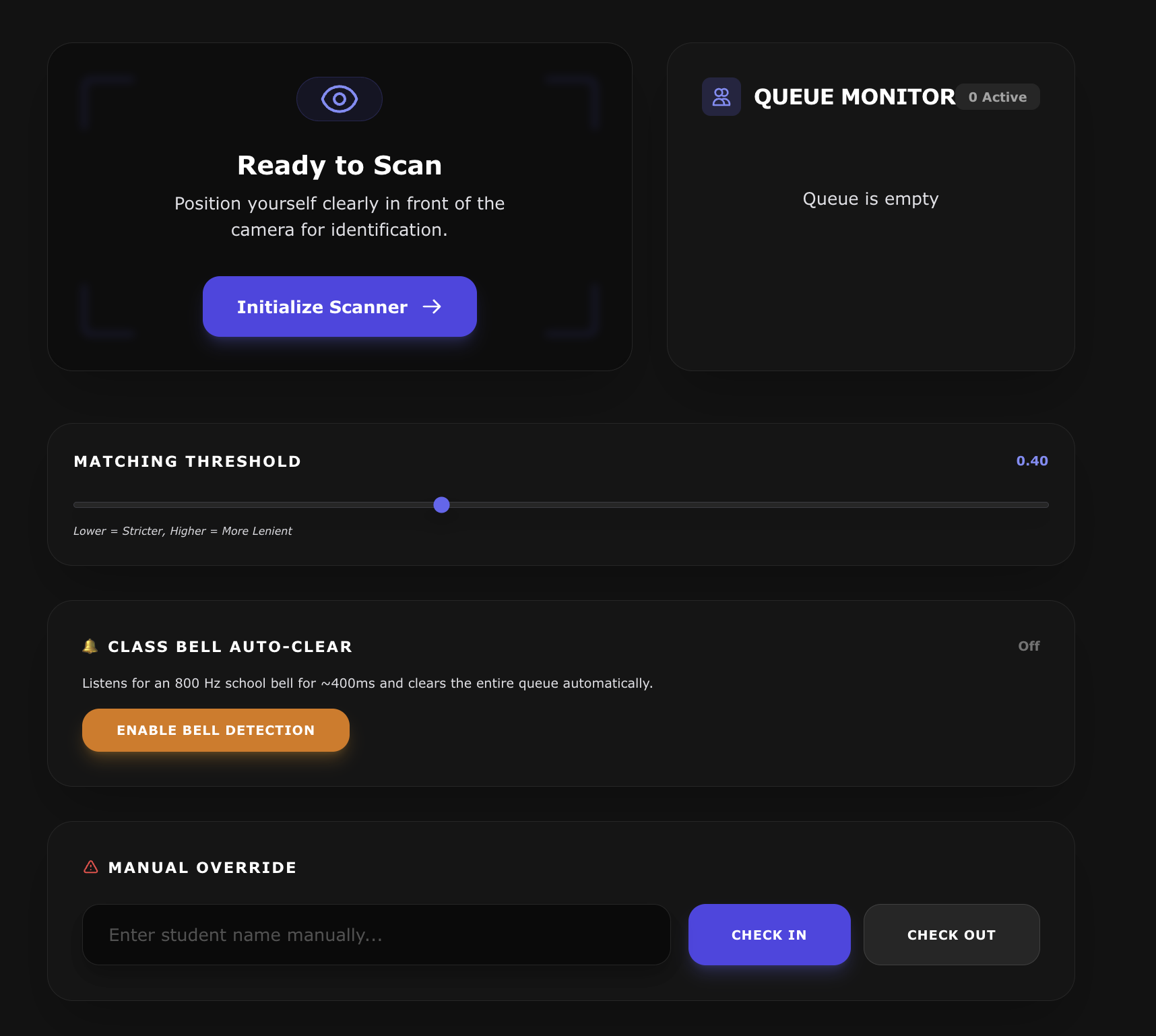
The Biometric Bathroom Pass & Waitlist Pipeline is a full-stack, enterprise-grade classroom management tool. In high-density computer science environments, manual hall passes create queues, tracking bottlenecks, and classroom disruptions. This system resolves those issues by:
- Streamlining Waitlists: Students queue up fairly using a digital First-In-First-Out waitlist.
- Integrating Biometrics: Fast, secure face scanning terminals let students scan out instantly.
- Admin Analytics & Visibility: Administrators track exact cumulative bathroom statistics and session durations in the Admin Dashboard.
- Robust Security: Enforces JWT cookie validation, secure filter chains, and role boundaries to safeguard biometric data.
Below, I highlight the 5 most critical components across our codebase that make this pipeline possible.
1. The Core FIFO Waitlist Engine
- File Path:
Pirna-spring/src/main/java/com/open/spring/mvc/bathroom/BathroomQueue.java - Role: Models the waitlist state. It handles appending student names, verifying queue position, and checking out students in First-In-First-Out order.
// Append student to the waitlist string representation
public void addStudent(String studentName) {
    if (this.peopleQueue == null || this.peopleQueue.isEmpty()) {
        this.peopleQueue = studentName;
    } else {
        this.peopleQueue += "," + studentName;
    }
}

// Retrieve waitlist position for queue ordering
public int getStudentIndex(String studentName) {
    if (this.peopleQueue == null || this.peopleQueue.isEmpty())
        return -1;
    List<String> students = Arrays.asList(this.peopleQueue.split(","));
    return students.indexOf(studentName);
}
2. Admin Analytics & Bathroom Time View
- File Path:
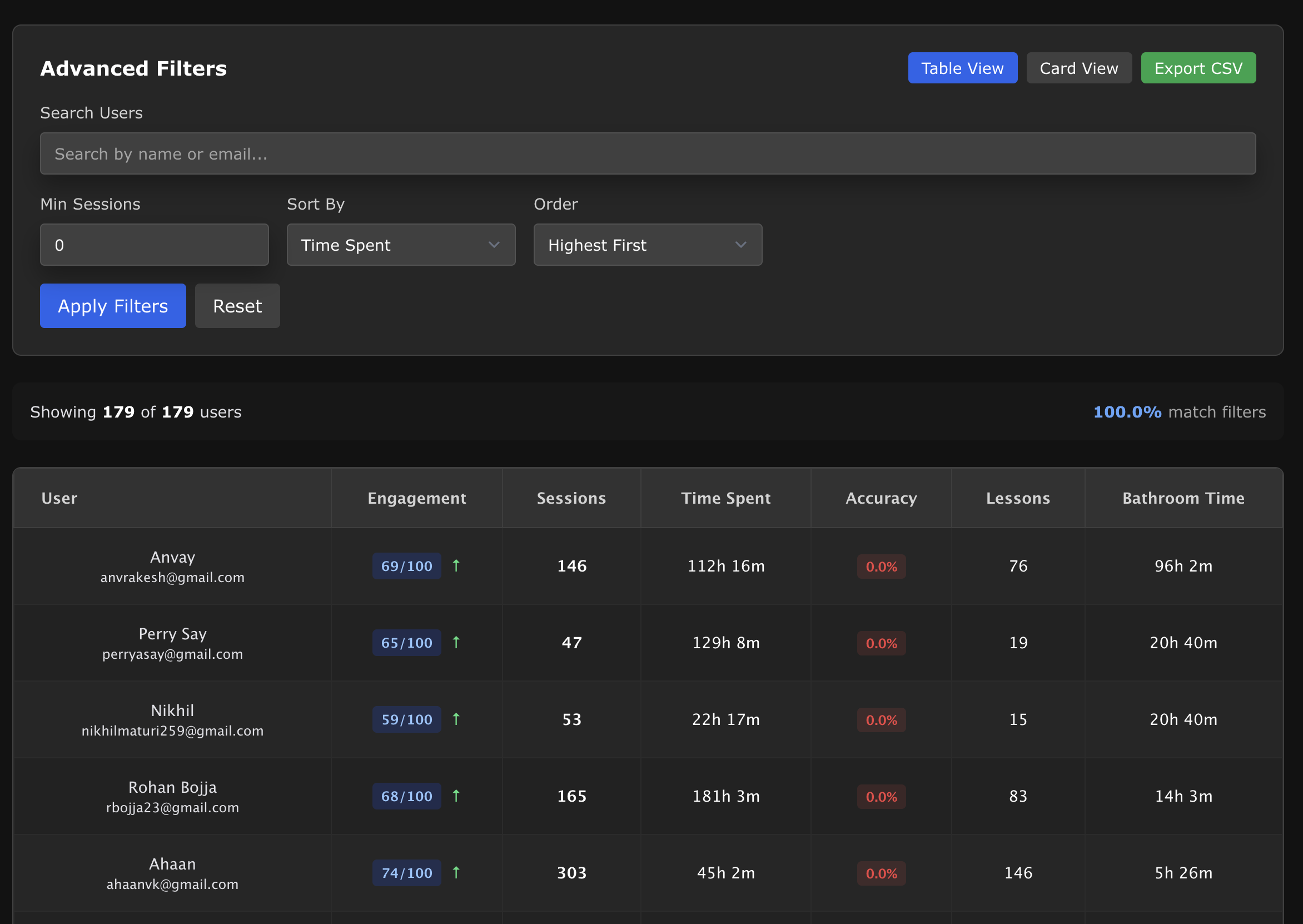
Pirna-spring/src/main/java/com/open/spring/mvc/analytics/OCSAnalyticsController.java&OCSAnalyticsRepository.java - Role: Retrieves historical student check-outs and queries the sum of elapsed durations to dynamically populate the “Bathroom Time” column in the Admin Analytics Dashboard table.
// OCSAnalyticsRepository.java - Query the sum of a student's total bathroom session durations
@Query("SELECT SUM(a.sessionDurationSeconds) FROM OCSAnalytics a WHERE a.person = :person AND a.questName = 'Bathroom Pass'")
Optional<Long> getTotalBathroomTimeSpentSeconds(@Param("person") Person person);

// OCSAnalyticsController.java - Fetch and format total bathroom seconds for the Admin table
Long bathroomSeconds = analyticsRepository.getTotalBathroomTimeSpentSeconds(person).orElse(0L);
summary.put("bathroomTimeSeconds", bathroomSeconds);
summary.put("bathroomTimeFormatted", formatSeconds(bathroomSeconds));
3. Biometric Face Scan Matching & Registration
- File Path:
Pirna-spring/src/main/java/com/open/spring/mvc/person/FaceApiController.java - Role: Exposes a secure, write-only endpoint that lets students associate their unique student UIDs or GitHub usernames with captured base64 face vectors from the game engine.
@PostMapping("/register/public")
public ResponseEntity<Object> registerPublicFace(@RequestBody PublicFaceDto publicFaceDto) {
    if (publicFaceDto.getFaceData() == null || publicFaceDto.getFaceData().isEmpty()) {
        return new ResponseEntity<>("Face data is required", HttpStatus.BAD_REQUEST);
    }
    Person person = repository.findByUid(publicFaceDto.getUid());
    if (person == null) {
        return new ResponseEntity<>("Student profile not found", HttpStatus.NOT_FOUND);
    }
    person.setFaceData(publicFaceDto.getFaceData());
    repository.save(person);
    return new ResponseEntity<>("Biometric face data registered!", HttpStatus.OK);
}
4. JWT Authentication & Security Filter Chains
- File Path:
Pirna-spring/src/main/java/com/open/spring/security/SecurityConfig.java - Role: Configures stateless web security rules, CORS headers, and endpoint permission structures to secure biometrics and prevent database tampering.
// Restrict biometric matching and registration to authenticated profiles in SecurityConfig
http
    .securityMatcher(new OrRequestMatcher(
        new RegexRequestMatcher("^/api(?:/.*)?$", null),
        new RegexRequestMatcher("^/authenticate$", null)
    ))
    .csrf(csrf -> csrf.disable())
    .sessionManagement(session -> session.sessionCreationPolicy(SessionCreationPolicy.STATELESS))
    .authorizeHttpRequests(auth -> auth
        .requestMatchers(HttpMethod.POST, "/api/face/register/public").permitAll() // Public registration
        .requestMatchers(HttpMethod.GET, "/api/face/faces").hasAnyAuthority("ROLE_TEACHER", "ROLE_ADMIN") // Secure lookup
        .requestMatchers("/api/**").hasAnyAuthority("ROLE_USER", "ROLE_ADMIN", "ROLE_TEACHER", "ROLE_STUDENT")
    )
    .addFilterBefore(jwtRequestFilter, UsernamePasswordAuthenticationFilter.class);
5. Game-Engine Biometric Scanner & Camera Interface
- File Path:
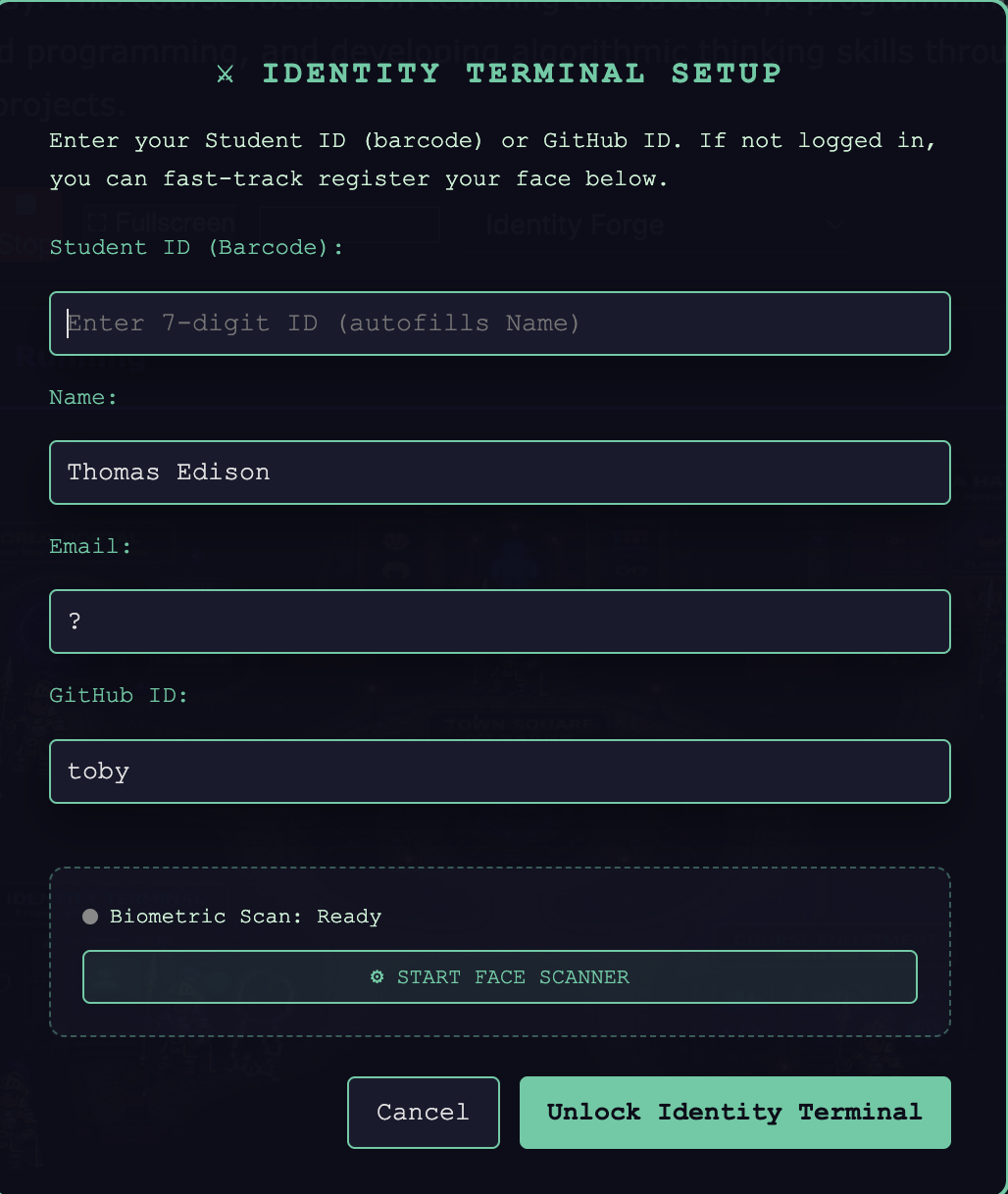
Pirna-pages/_projects/games/cs-pathway/levels/GameLevelCsPath0Forge.js - Role: Integrates with the player’s web camera to run real-time facial scanning, authenticate identity, and sync data back to the Spring backend.
// Open video feed and start the Identity Terminal scan sequence
runIdentityTerminal: async function (showInstructions) {
    const videoEl = document.getElementById('identity-scanner-video');
    const stream = await navigator.mediaDevices.getUserMedia({ video: true });
    videoEl.srcObject = stream;

    // Perform scanner payload dispatch to face API
    const response = await fetch('/api/face/register/public', {
        method: 'POST',
        headers: { 'Content-Type': 'application/json' },
        body: JSON.stringify({ uid: activePlayer.uid, faceData: capturedBase64 })
    });
}
Analytics
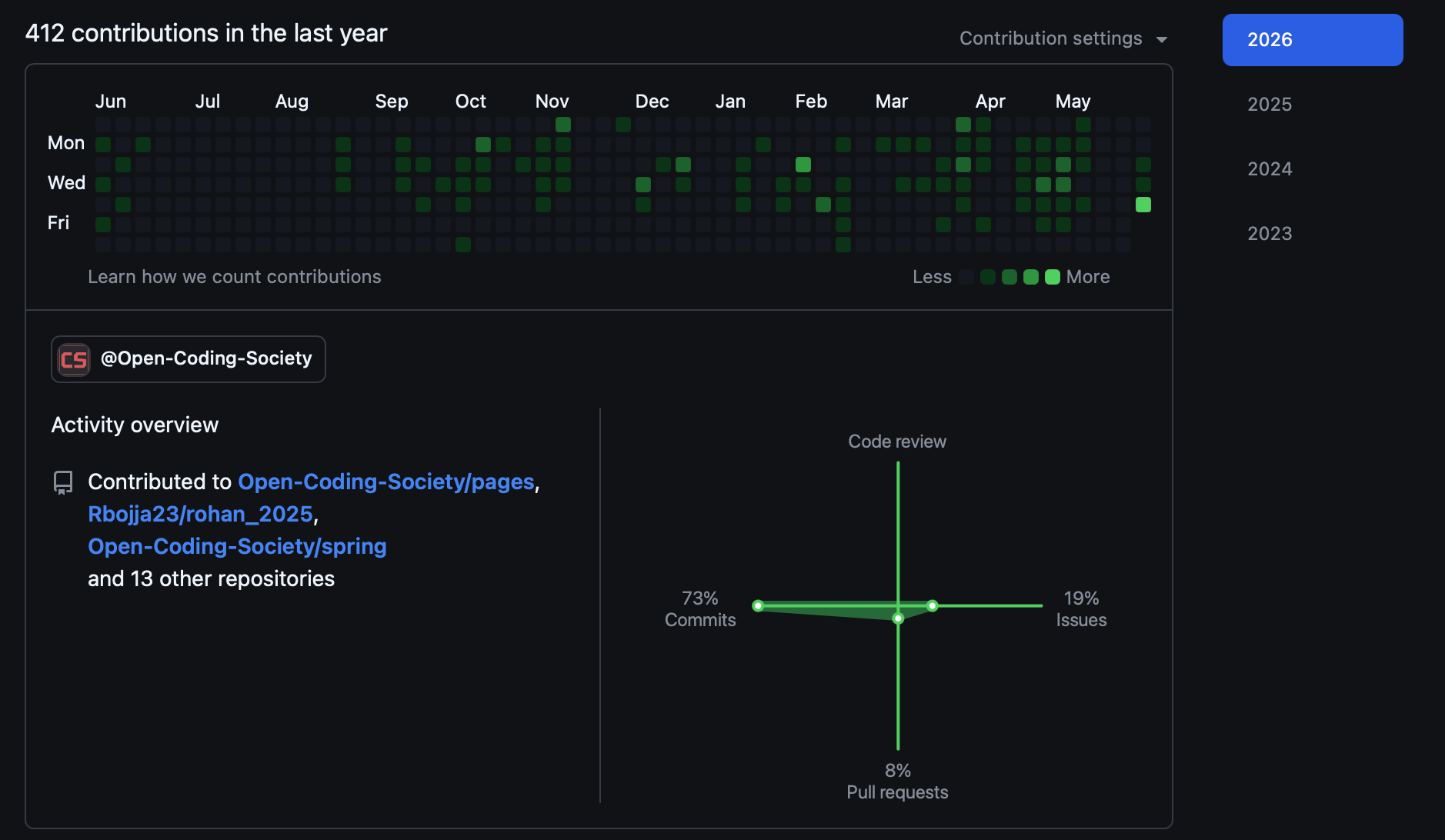
Pages
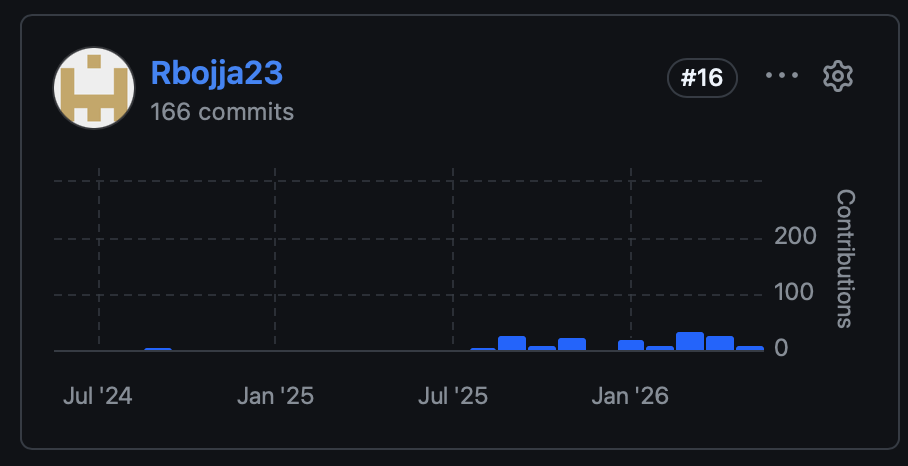
Flask
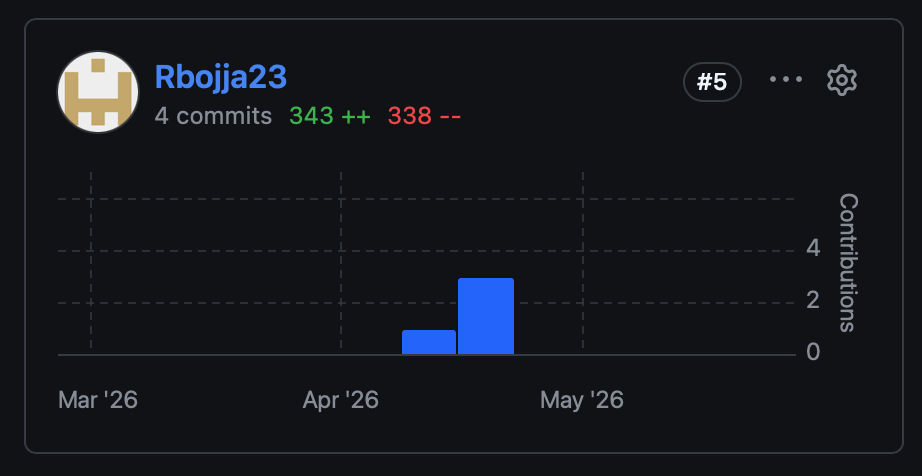
Spring